
You may have noticed another option for outbound routes called PIN List. PIN lists add a level of security and permissions to outgoing calls. Whenever you add a PIN list to an outbound route, you will be prompted to enter a valid PIN to be able to use the outbound route. To create a PIN list, we will go to PBX > Applications > PIN Lists.
For a PIN list, we will need to add a Description to identify this list and add the list of PINs that can be used. PINs can be of any length and are separated by a line break. You can create as many PINs and PIN lists as you need. You can then Save and Apply Changes.
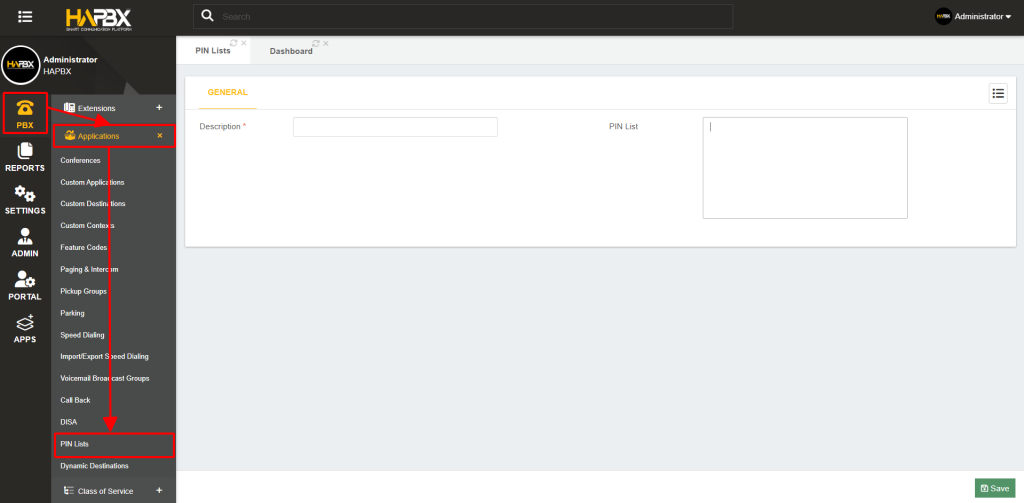
Afterward, you can go ahead and add the PIN list to your outbound route, so any time a call goes through the outbound route, users will be prompted to enter a PIN from the list to be able to complete the call.