
Although these parameters are configured when installing the App, it is possible to modify them later. To modify these initial settings, go to Settings/PBX Settings.
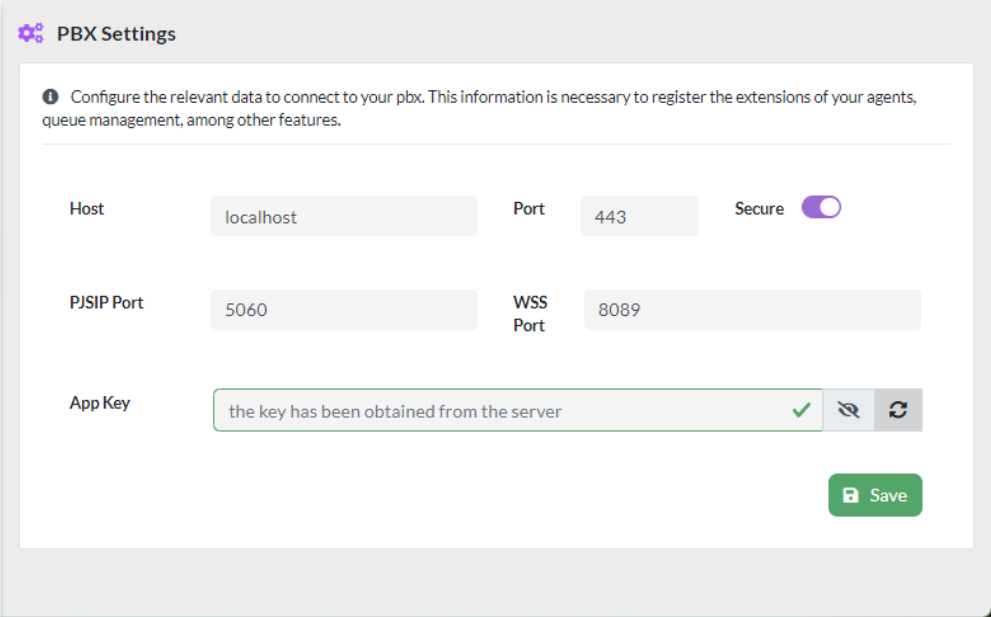
The parameters that can be configured are as follows:
- Host, server where VitalPBX is installed, if the dialer is installed on the same server as VitalPBX, you must select localhost.
- Port, configuration port, usually 443.
- Secure, secure connection. You must select.
- PJSIP Port, registration port for PJSIP extensions.
- WSS Port, port for WebRTC to work.
- App Key, when using the dialer on the same VitalPBX server it is not necessary to add an API Key.