
In queues where the Agents that are going to manage one or more campaigns are assigned. The type of campaign is also defined.
To configure Queues, go to Campaigns/Queues:
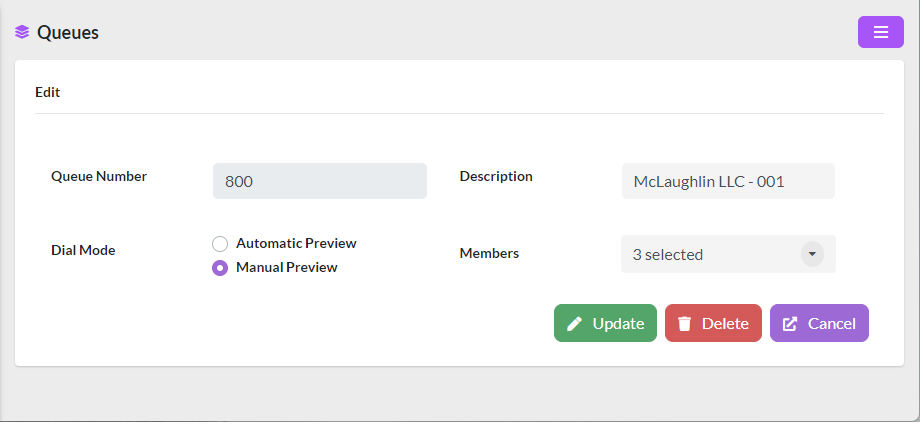
The data to be configured are as follows:
- Queue Number, number under which all the events in the queue will be logged.
- Description, brief description.
- Dial Mode
- Automatic Preview, dialing displays the contact to the Agent and a few seconds later dials the number automatically.
- Manuel Preview, the dialer displays the contact to the Agent and when the Agent is ready presses a button to place the call.
- Members, are the Agents that are going to belong to the queue. These agents should have had their extensions created previously in Users/Users.