
Here, we will schedule the date, time, and period through which a previously built report will be sent.
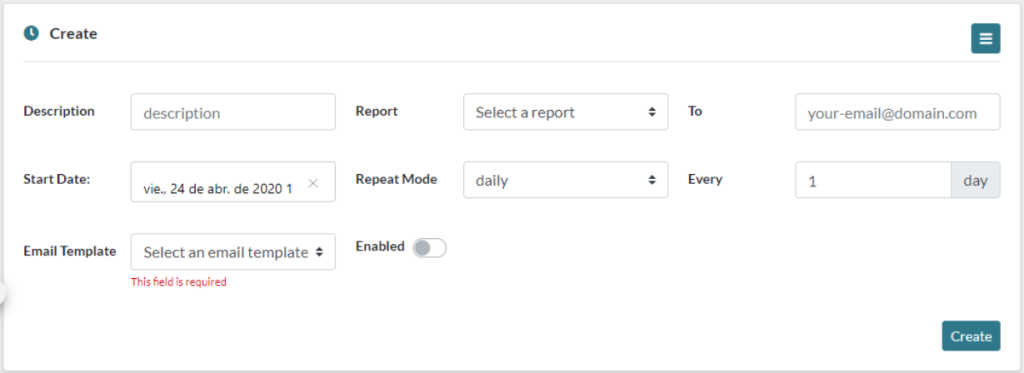
These are the options you have to configure for the automatic reports:
- Description, a brief description to identify the report schedule.
- Report, report to be sent, previously created in Report Builder.
- To, email to which we are going to send the report.
- Start Date, date and time we wish to start sending the reports.
- Repeat Mode, the interval in which we want to send the reports.
- Every, how often we wish to apply the Repeat Mode, for example, if we wish to send it weekly, but being every two weeks, here we can input 2.
- Weekdays, this option only appears if we have set the Repeat Mode weekly. Here, we select the days of the week we wish to perform the task.
- Email Template, we select a previously created email template.
- Enabled, Enable or disable the scheduled sending, This option is useful since it lets us stop the task without having the delete it completely.