
On this report we can see a summary, with the ability to see details for the agent’s sessions.
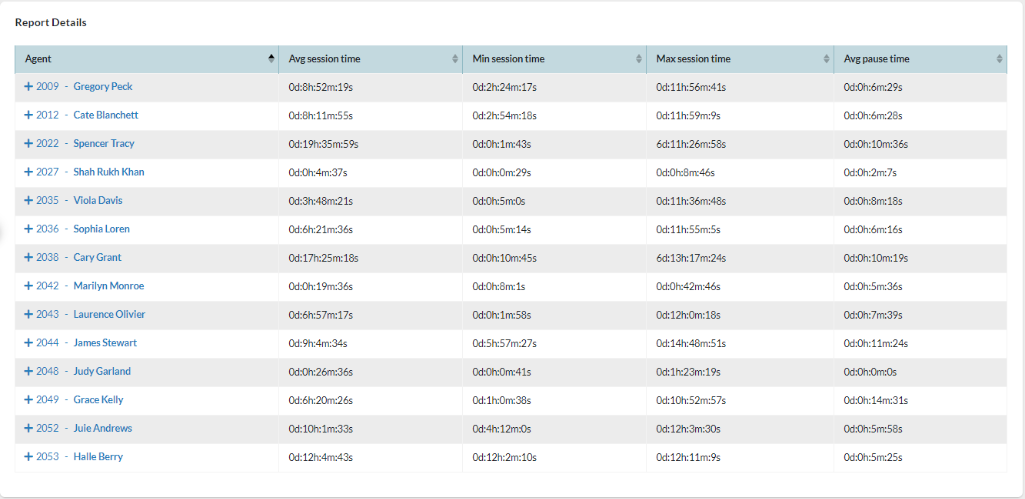
It is possible to see a detail of the events from each agent by clicking on the plus symbol (+) that is located in front of the agent number.
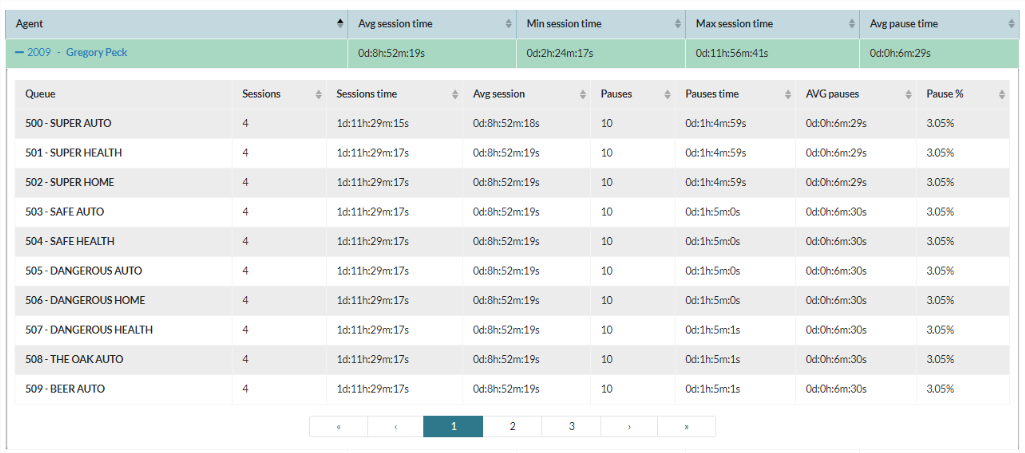
The Possible events related to the agents are:
- START SESSION, starts session on the Queues.
- END SESSION, ends session on the Queues.
- PAUSE, changes status to paused. This event possesses information that will allow us to determine the pause reason.
- UNPAUSE, End of pause.